Activity Manager
See also
In the Extended Matrix language manual:
Activity NodeGroup — concept and modelling rules for activity groups.
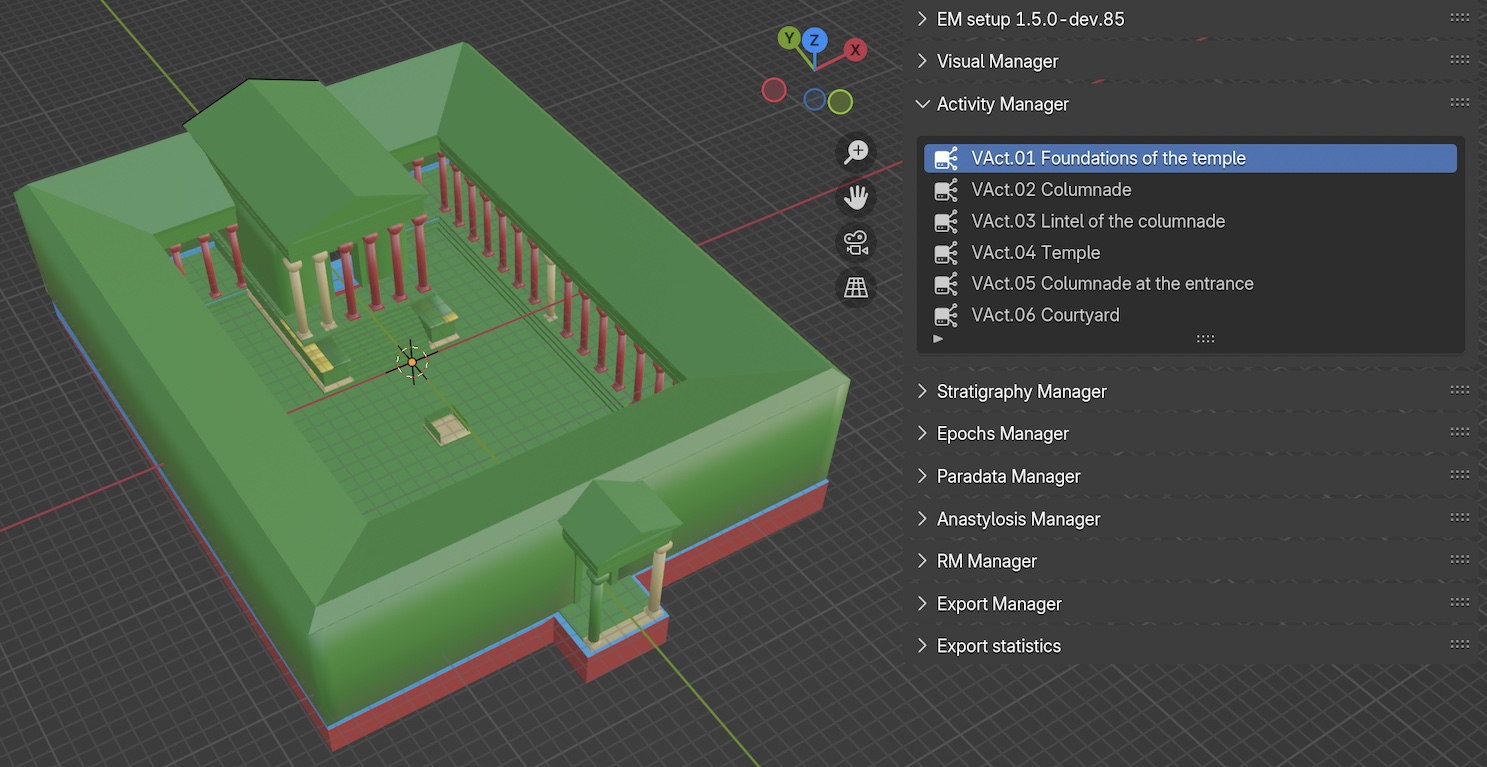
Fig. 56 Activity Manager panel
This panel (Fig. 56) lists all the activity groups included in the EM graph file. Activities represent groups of stratigraphic actions that belong to the same constructive or destructive process.
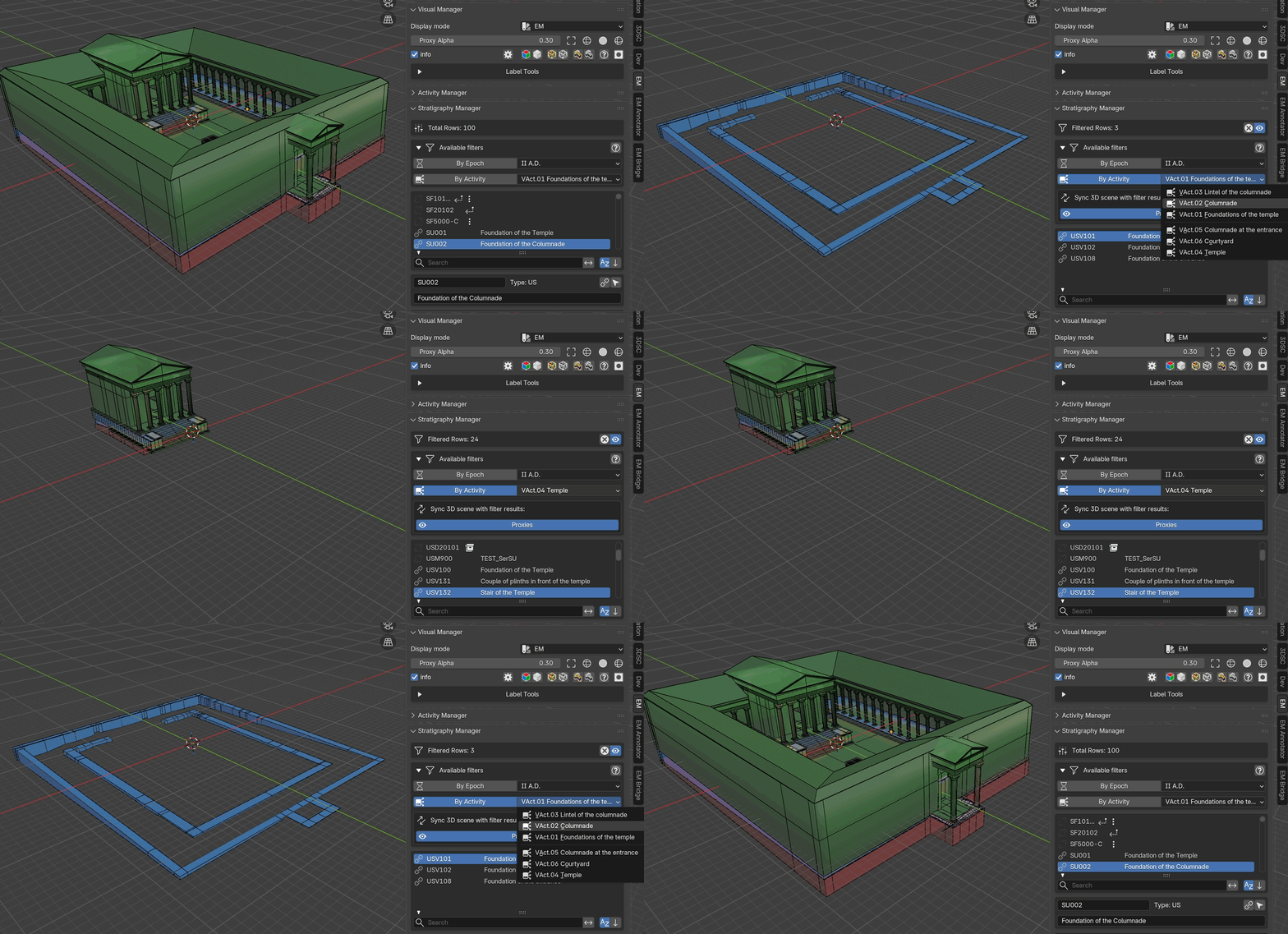
Fig. 57 Activity filtering demonstration
Panel Layout
The panel displays a list of activities extracted from the graph’s ActivityNodeGroup nodes. Each row shows:
The activity name with a network icon
The associated epoch name (derived from the graph edge
has_first_epoch)
When an activity is selected in the list, it can be used as a filter criterion in the Stratigraphy Manager panel.
Workflow
Populating the activity list:
The activity list is automatically populated when the GraphML file is loaded. Each ActivityNodeGroup node in the graph is extracted with its name, description, and associated epoch.
Filtering by activity:
Select an activity in the list
In the Stratigraphy Manager panel, expand the
Available filterssectionEnable the
By ActivitytoggleThe stratigraphy list will show only the units belonging to the selected activity group
Activity filtering can be combined with epoch filtering. When both are active, only units matching both criteria are shown.
See also
The Filter System section in the Stratigraphy Manager documentation for details on how filters interact.