Creating Your First Extended Matrix
Recommended prerequisite — The Golden Twelve
Before you author proxies, build LOD geometry, or work with semantic shapes in Blender, make sure you have the foundational shortcut grammar fluent. The Golden Twelve is a two-page reference card covering the twelve keyboard-shortcut command families that appear in every EM modelling workflow — navigation, selection, add & position, transform, edit mode, extrude, loop cut, knife, duplicate, parameters panel, modifiers, render. The shortcuts have been stable since Blender 1.0 (1995), so the skill survives every future Blender release.
Cite as: Demetrescu, E. (2026). The Golden Twelve: Reference Card for 3D Cultural Heritage Modelling (v1.0). Zenodo. doi:10.5281/zenodo.21068528 (CC-BY-SA 4.0). A companion paper is in submission to Digital Applications in Archaeology and Cultural Heritage.
Todo
Embed YouTube video — placeholder slug 13_em_first_matrix.
Once the recording is uploaded, replace this todo with a
.. raw:: html iframe pointing at the real YouTube video ID.
Working title: Creating Your First Extended Matrix (~~4 min).
Prerequisites
Overview
Create a minimal Extended Matrix from scratch: drag the canvas from the yEd palette, fill in metadata (human ID, author, ORCID, licence, embargo), add two SU nodes and connect them, save as GraphML, then import into Blender and verify the nodes appear in the Stratigraphic Manager.
Fig. 16 yEd: dragging the EM canvas node from the palette onto the workspace.
Key Concepts
Always start with the canvas: drag it from the palette onto the yEd workspace.
Fill metadata before adding nodes — it propagates to all children.
Save as GraphML (.graphml) — this is the native EM file format.
Import into Blender via the EM panel → add GraphML slot → browse to file.
Screenshots
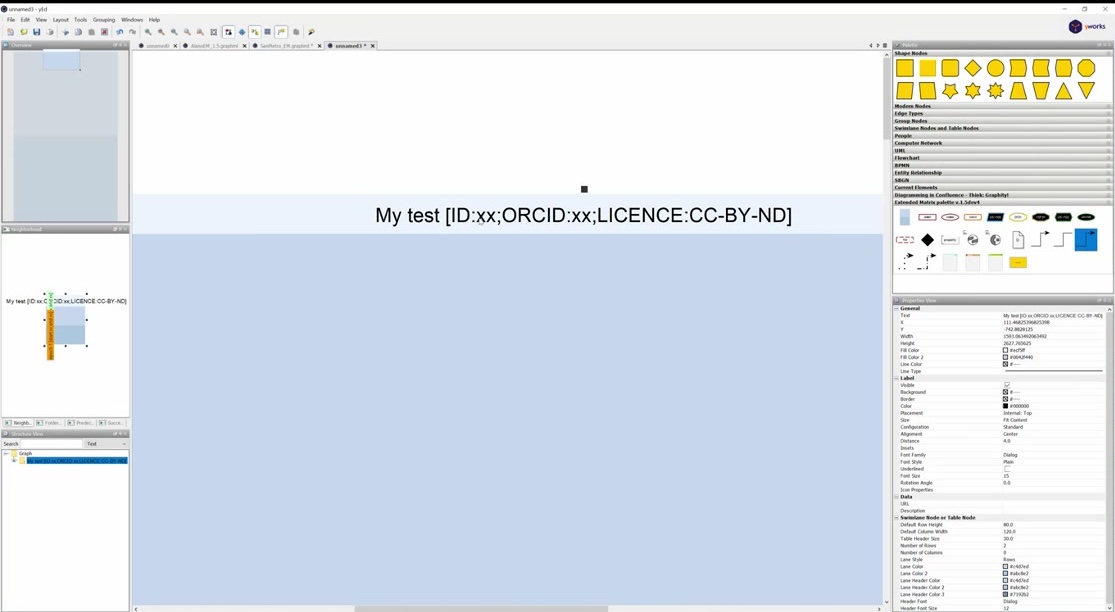
Fig. 17 Filling in the canvas metadata: human ID, site name, author.
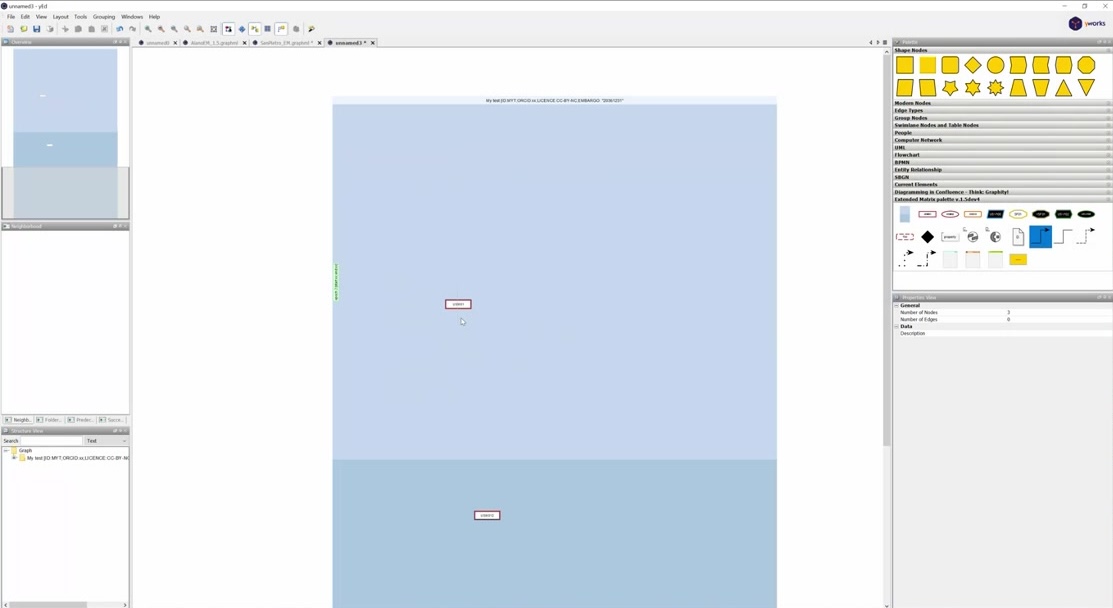
Fig. 18 yEd: File → Save as GraphML.
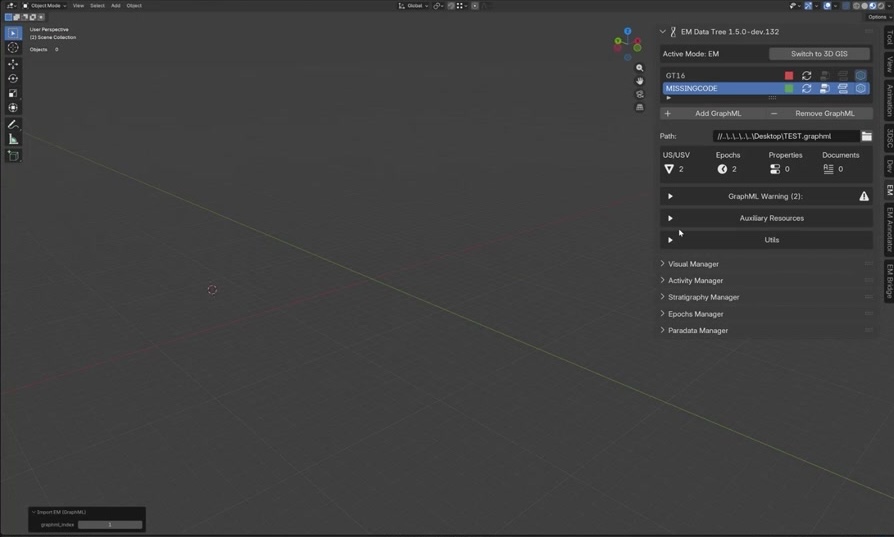
Fig. 19 Blender EM panel: adding a GraphML slot and browsing to the file.
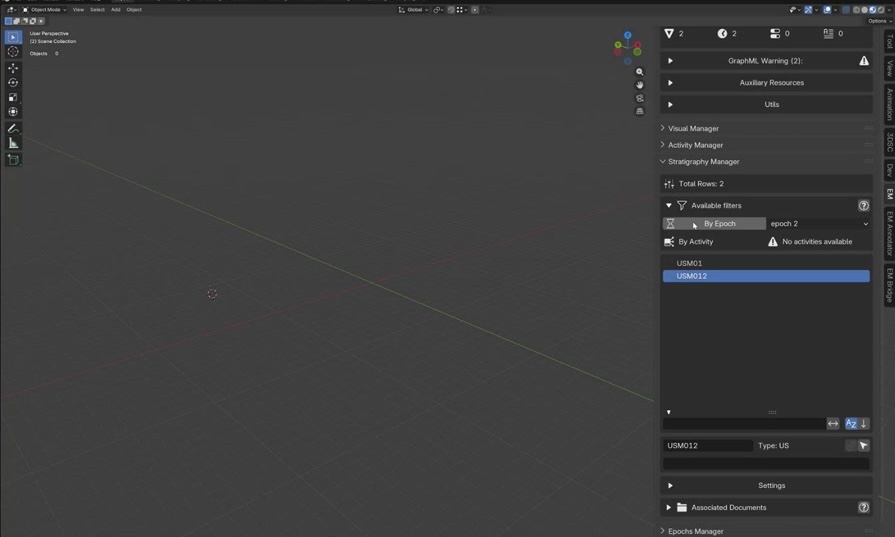
Fig. 20 The Stratigraphic Manager in Blender showing the imported EM nodes.
Try It Yourself
Create an EM for a real or fictional site with at least four SU nodes and import it into Blender.
Note
A video walkthrough for this tutorial will be available on the Extended Matrix YouTube channel.
See also